
Now available for Windows · macOS (Apple Silicon) in beta

A DAW that listens.

Loop your guitar, ask for drums, keep playing. Muse writes MIDI, generates audio, and edits your arrangement on command.
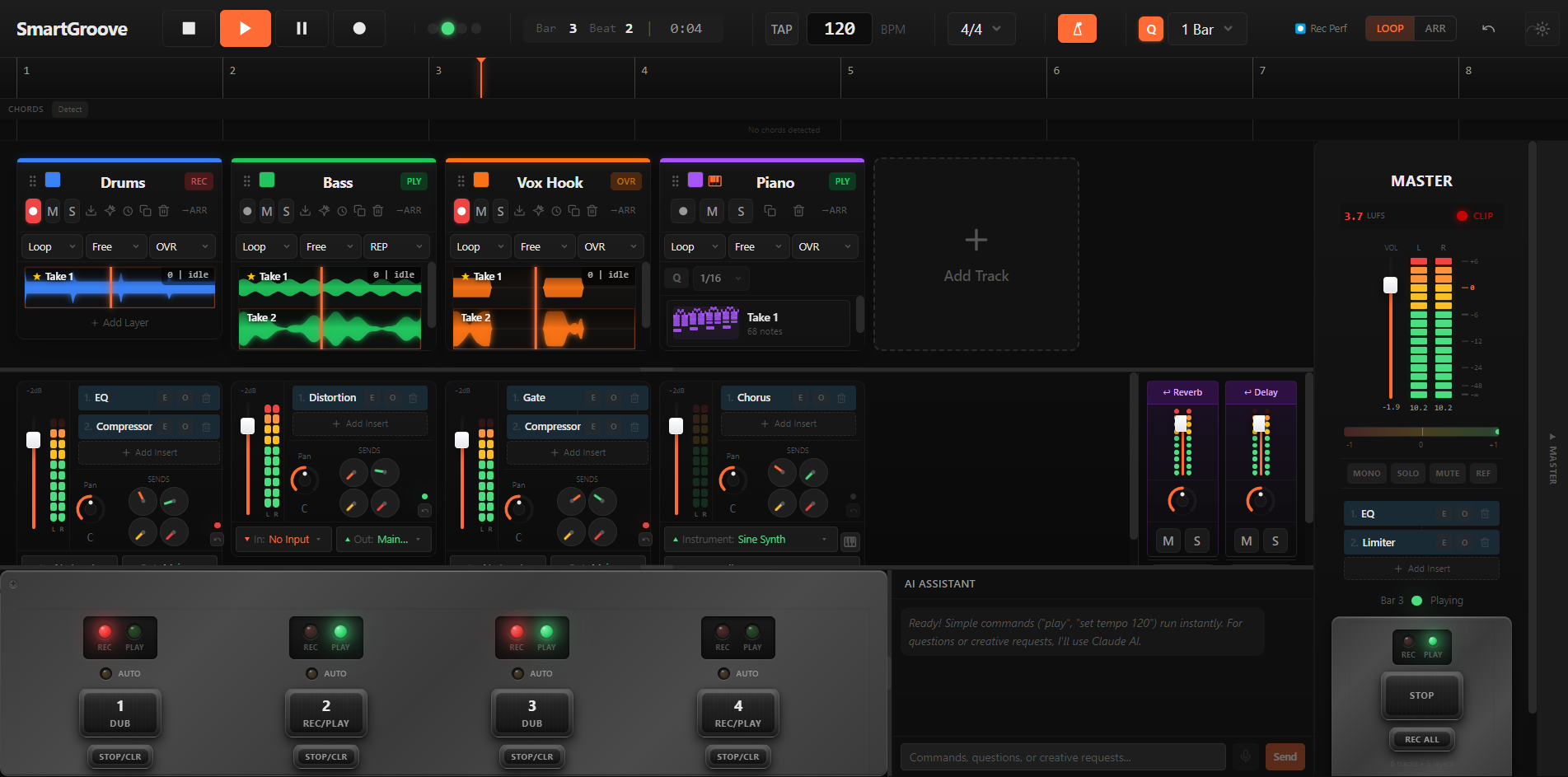
Muse in the looper view: four tracks with recorded takes, their mixer strips, the master bus and the AI assistant panel.

Features

Built for musicians who keep playing.

Muse sits next to your transport, not in a chat window. Four things it does well — and one philosophy: never break your flow.

Live looping, AI-assisted

Capture takes, layer loops, refine in place. Quantize, re-time, and chop with the assistant — or by hand.

Writes MIDI on command

Ask for chords, bass, or a melodic counterpoint. Drops into a fresh clip, ready to edit.

Generates audio

Rhodes pads, vintage drum kits, foley textures. Generated from your prompt; lands in your session as a real audio file you can edit.

Edits arrangements

Move the chorus, double the bridge, swap the snare. Plain-language edits across the full session.

AI in the session

Your DAW, with an assistant in it.

The chat panel lives next to the transport. Ask in plain language; clips appear in the timeline, ready to edit.
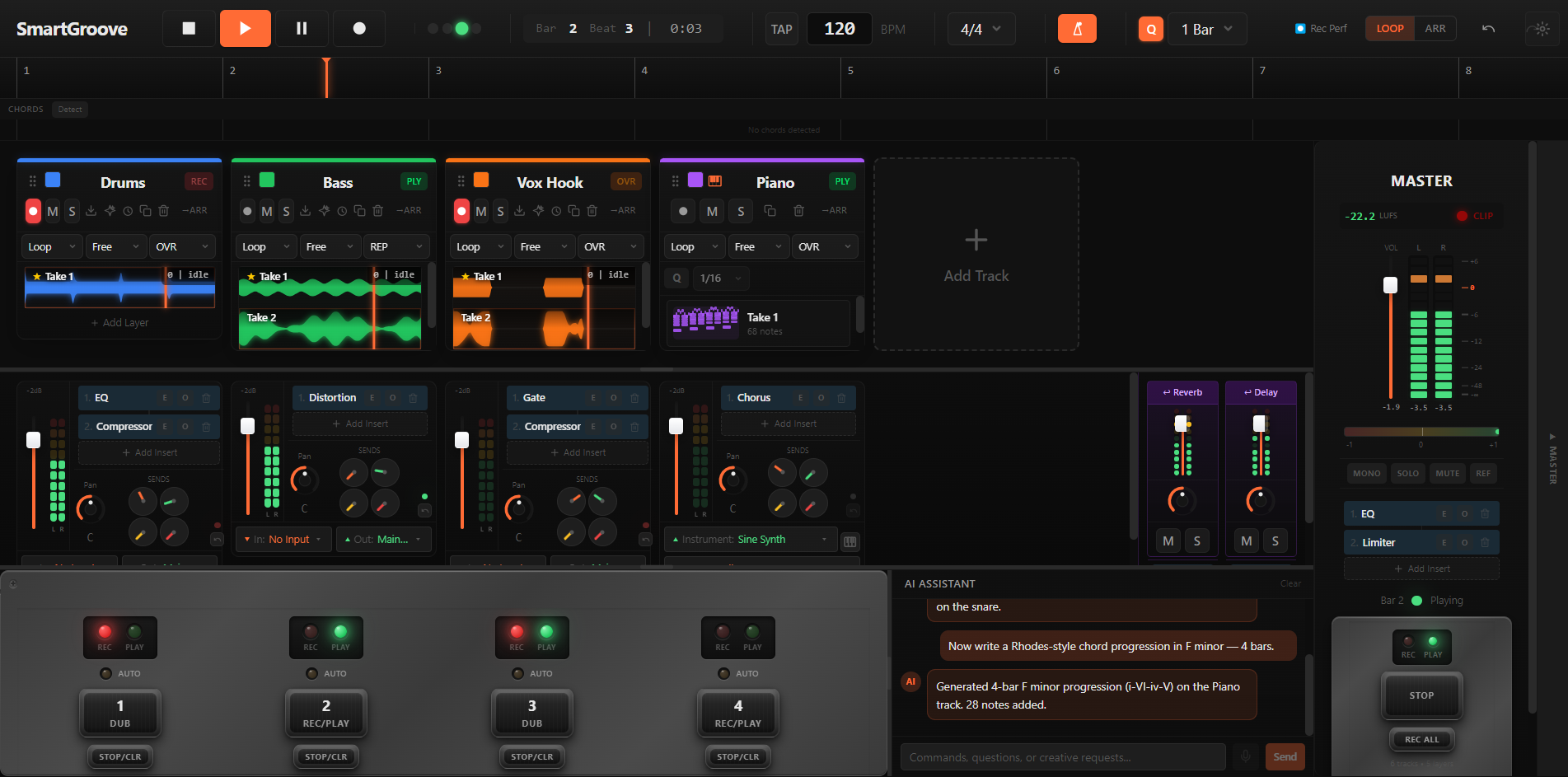
The Muse DAW with the AI assistant panel open, showing a recent prompt and tool-call response on a loaded multi-track session.

Pricing

Free is the full DAW. Paid tiers add AI credits.

Free includes the full DAW, offline. Paid tiers bring the AI assistant in.

Free

$0 forever

The whole DAW. No AI credits.

  • Live looping, arrangement, plugin hosting
  • Save / load / export to WAV + MP3
  • No AI credits
  • Free account required

Studio

$99 / month

For heavy AI users. 333,333 credits / month.

  • Everything in Pro
  • 333,333 AI credits per month
  • Five times the Pro allocation
  • Cancel anytime

FAQ

Questions we hear from working musicians.

Top five questions answered below. Anything else? Write to [email protected] — we'll get back.

What operating systems does Muse run on?
Windows 10 and 11 are fully supported. A macOS build for Apple Silicon (M1 and later) is available in beta from the same Download button — Intel Macs are not supported. Linux is not on the v1 roadmap.
Do I need an internet connection?
Only for the AI features. The audio engine, looping, plugin hosting, and project save/load all run fully offline. AI features (MIDI generation, audio generation, chat) go through a hosted proxy and consume credits from your monthly plan.
Can I use Muse without subscribing?
Yes. The Free tier gives you the full DAW, looper, arrangement, and plugin hosting — only the AI features are gated. Pro and Studio tiers add monthly AI credit allocations.
What happens when I run out of AI credits?
The audio engine and looper keep working normally — credits only gate the AI features. Credits reset monthly with your subscription; the meter is visible in Settings → Account.
Is there a trial?
The Free tier IS the trial — no time limit, no card required. Upgrade to a paid tier any time to unlock AI features.

Start playing.

The whole DAW is free — looping, arranging, mixing, plugins, export. Add a Pro plan when you want the assistant to write and generate with you.

See plans

Loading…

Sign in to download

Free includes the full DAW — no card required. Create an account or sign in to get your download.

or

Forgot password?

New to Muse? Already have an account?

By continuing you agree to our Terms and Privacy Policy.

there
Plan Free Tier

Signed in as ·

Your download is starting

If nothing happens, click here to download.

Taking you to checkout

If nothing happens, click here to continue.

Paid seats are full

The Free tier is the whole DAW — any time.

Something went wrong

Please try again in a moment.